
If you have a scrambled cube and are not sure what to do next, a solver can replace much of the guesswork with a clear solution path.
What Is a Rubik's Cube Solver?
A Rubik's Cube solver is a tool designed to help you find a solution for a scrambled cube.
Instead of trying random turns or working out every move yourself, you provide the solver with information about the current state of your cube. The solver then analyzes that configuration and calculates a sequence of moves that can take the cube toward its solved state.
For a beginner, this can be especially useful when the cube is already scrambled and you do not know which move should come next.
A Rubik's Cube solver can generally be used in several ways, depending on the tool:
- Scan the cube using a phone camera
- Enter the cube colors manually
- Use an interactive virtual cube
- Receive a generated sequence of solving moves
- Follow visual or step-by-step instructions
The important distinction is that a solver is a tool for a specific cube configuration. A general Rubik's Cube tutorial teaches you a method, while a solver can work from the actual scrambled state of the cube in front of you.
For example, if you already have a scrambled 3x3 cube and simply want to know what moves to make, a cube solver can be a practical starting point.
Why Is Solving a Rubik's Cube Difficult?
A Rubik's Cube has a simple appearance, but solving it requires you to keep track of many pieces and how they move together.
For someone learning for the first time, the biggest challenge is often not making a single turn. It is understanding which turn to make next without undoing progress you have already made.
Here are some common problems beginners experience.
Not Knowing Which Move to Make Next
When you look at a scrambled cube, there is usually no obvious indication of the correct next move. Turning a face randomly might improve one area while making another area more difficult. A solving method gives each move a purpose. Without that method, it is easy to get stuck.
Losing Track of Cube Colors
The cube has six faces and multiple pieces that need to be considered together. When following instructions, beginners can sometimes lose track of which side should be facing them or accidentally rotate the entire cube. This can make otherwise correct instructions appear to stop working.
Forgetting Algorithms
Many Rubik's Cube solving methods use sequences of moves called algorithms. Remembering these sequences takes practice. Even if you understand the general method, forgetting one sequence can leave you unsure about what to do next.
Accidentally Disturbing Solved Pieces
Another common problem is solving one part of the cube and then accidentally disrupting it while working on another part. This happens because Rubik's Cube pieces are connected through the cube's movement system. A turn affects more than one visible area.
Getting Stuck Halfway Through the Solve
Sometimes you can make good progress and then reach a position where you no longer know which move should come next. This is where a solver can be useful. Instead of restarting or randomly turning the cube, you can enter the current configuration and get guidance based on the actual state of the puzzle.
How Does a Rubik's Cube Solver Work?
Although the technology behind a solver can be complex, the basic user experience is straightforward: enter the cube, identify its configuration, generate a solution, and follow the instructions.
1. Scan Your Cube
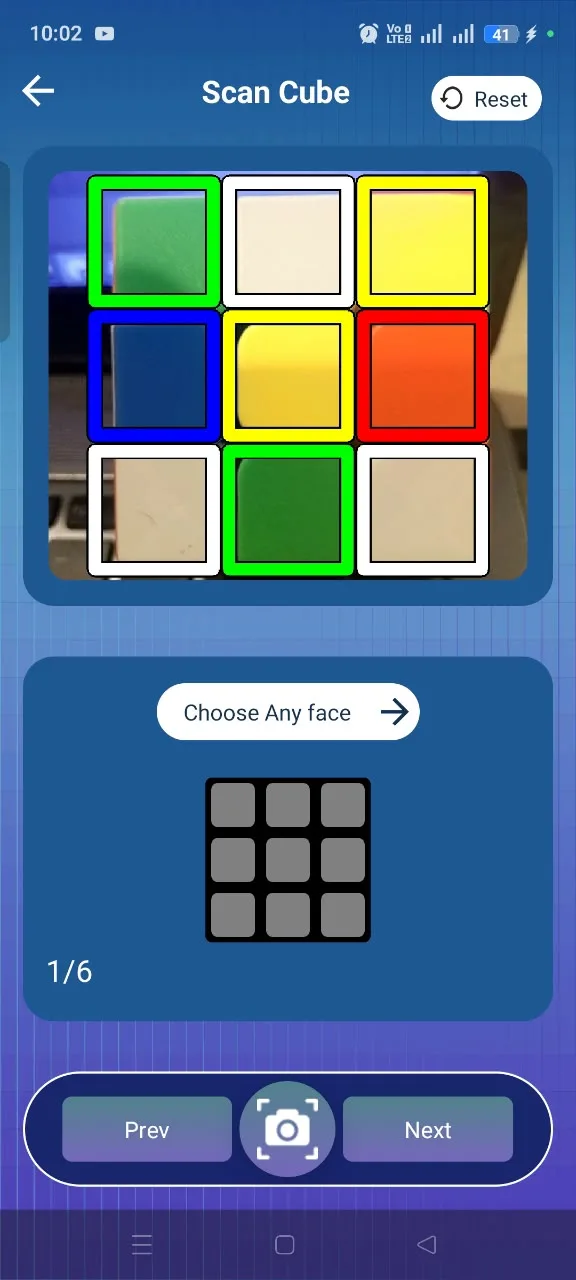
Some Rubik's Cube solver apps use your phone's camera to recognize the colors on the cube. You typically need to show the different faces of the cube so the app can identify the visible stickers or tiles.
A good scan is important because the solver needs accurate information about the cube before it can calculate a solution. Good lighting and a steady camera position can make color recognition easier.
The current Rubik's Cube Solver app supports camera-based cube scanning and allows users to scan the cube's sides using a phone camera.
2. Identify the Cube Configuration
After scanning, or after entering the colors manually, the solver creates a representation of your cube's current configuration. Think of this as giving the app a digital description of the physical cube.
The solver needs to know where the different colors and pieces are before it can determine which moves are appropriate. This is also why accurate input matters. If one face is scanned incorrectly or the wrong color is entered manually, the configuration may no longer match the physical cube.
Some solvers therefore provide manual input as an alternative or as a way to correct the configuration. The Rubik's Cube Solver app supports manual color entry through a 3x3 grid.
3. Generate a Solution
Once the solver has the cube's configuration, it calculates a sequence of moves designed to take that specific cube toward the solved state. You do not need to manually work out the entire sequence yourself.
The exact solving process happens in the background. What you see as a user is the resulting sequence of moves or instructions. This is one of the main advantages of using a cube solver app when you are stuck: you can work from the cube you actually have instead of trying to guess which algorithm might apply.
4. Follow the Instructions
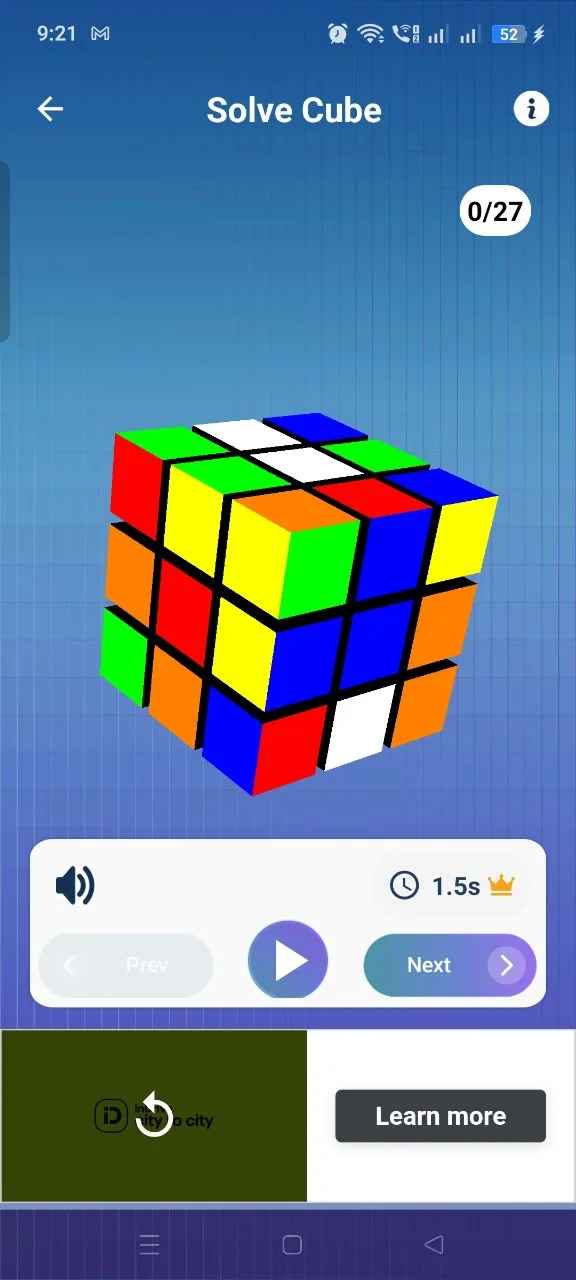
After a solution is generated, the next step is to perform the moves in the correct order. A good solver should make the instructions understandable enough to follow without requiring you to calculate the solution yourself.
The Rubik's Cube Solver app provides step-by-step solving instructions with visual guidance for the generated solution.
The most important thing is consistency. If the instructions say to turn a particular face, make that move before continuing. Avoid rotating the whole cube unnecessarily unless the instructions specifically tell you to do so.
Can a Rubik's Cube Solver Help Beginners?
Yes. A Rubik's Cube solver can be useful for beginners because it reduces some of the confusion involved in figuring out what to do next. A beginner does not necessarily need to memorize every algorithm before getting started with a solver.
Instead, you can:
- Enter or scan your scrambled cube
- Get a solution for its current configuration
- Follow the moves one at a time
- Observe how the cube changes
- Use the experience to understand the solving process
This can make the first solving experience less overwhelming.
A solver can also be used alongside learning rather than instead of learning. For example, you might use a solver when you are completely stuck, then study the moves afterward to understand what happened. Over time, you can learn common cube notation, algorithms, and solving techniques and become less dependent on assistance.
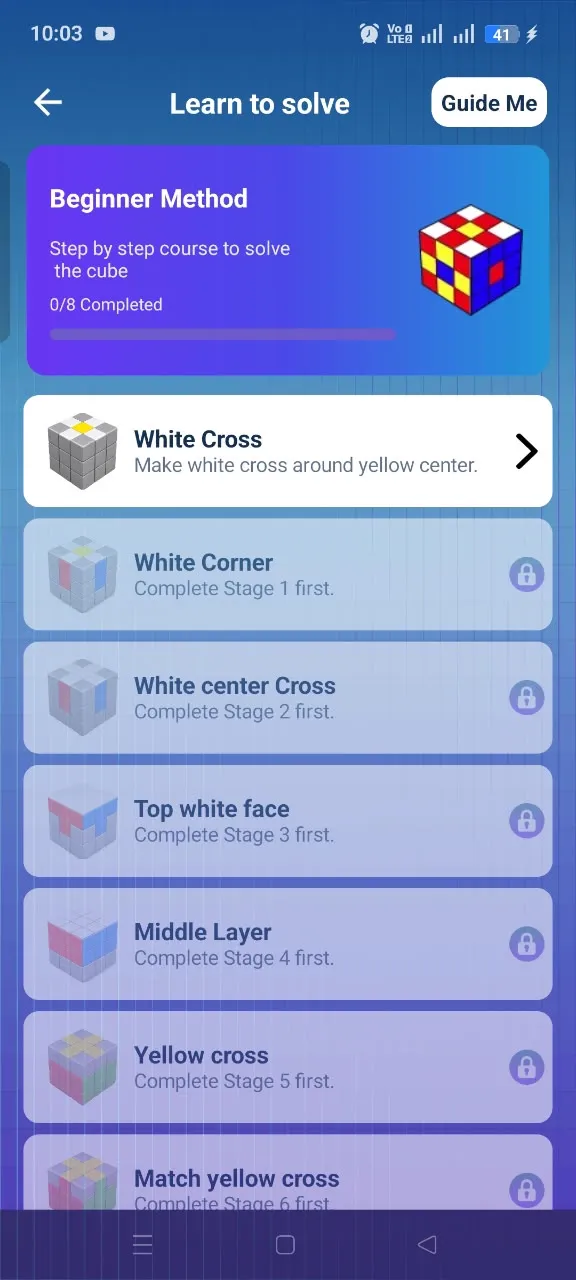
The Rubik's Cube Solver app also includes learning-oriented features. Its current listing includes an interactive virtual 3x3 cube and step-by-step learning guidance, giving beginners options beyond simply entering a physical cube for a solution.

What If the Scanner Doesn't Work?
Camera scanning can save time, but it is important to check the detected colors before generating a solution. If the scanner does not recognize your cube correctly, try these steps.
Use Good Lighting
Make sure the cube is clearly visible. Dark rooms, heavy shadows, or uneven lighting can make colors harder for a camera to distinguish.
Keep the Cube Fully Visible
Position the cube so the face being scanned is clearly inside the camera's view. Avoid covering stickers or tiles with your fingers.
Hold the Cube Steady
Try to keep the phone and cube relatively steady while scanning. Moving the cube too quickly can make it harder for the camera to identify the colors accurately.
Avoid Strong Glare
Reflections from bright lights can sometimes change how a color appears to the camera. If you notice glare on the cube, change the angle of the phone or lighting.
Check the Detected Colors
Do not immediately generate a solution if the detected colors do not look correct. A single incorrectly identified color can result in a cube configuration that does not match the physical cube.
Rescan When Necessary
If one or more faces appear incorrect, scan them again rather than continuing with incorrect information.
Use Manual Input
If camera scanning continues to produce an incorrect result, manual input can be a useful alternative when supported by the solver. With manual input, you select the colors yourself and can check the configuration before asking the solver to generate the solution.
The Rubik's Cube Solver app supports both camera scanning and manual color input, giving users an alternative when scanning needs to be corrected.
Rubik's Cube Solver App
If you have a scrambled cube and want practical help solving it, a Rubik's Cube solver app can put the solving process directly on your phone.
The Rubik's Cube Solver app supports camera scanning, manual cube-color input, a virtual 3x3 cube, and step-by-step solution instructions.
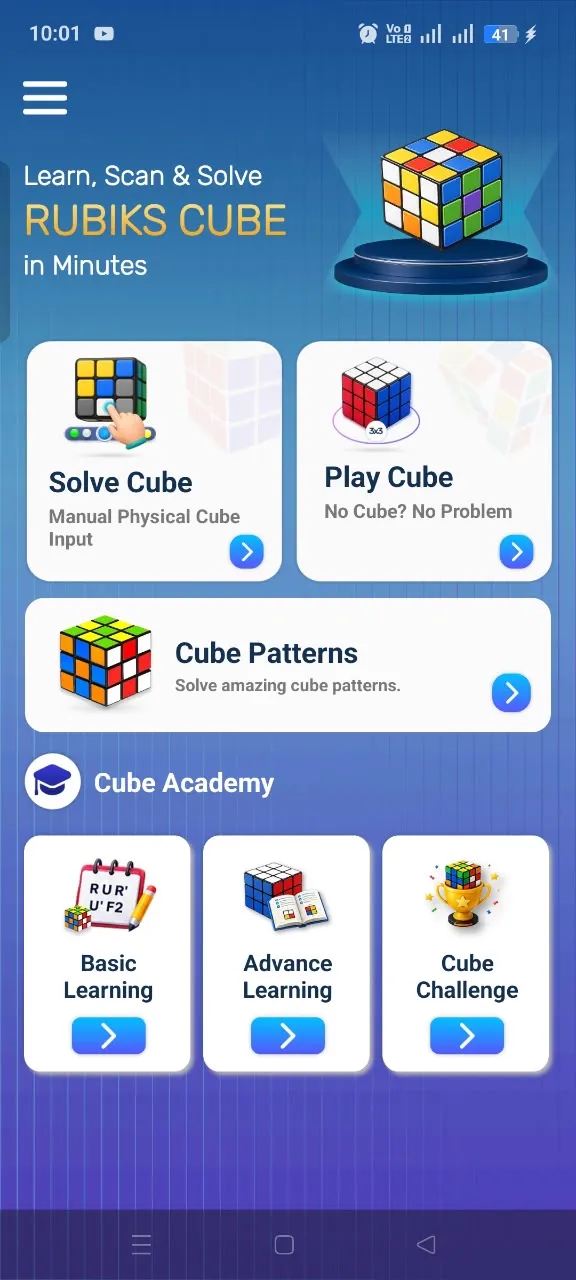
The basic workflow is simple: scan or enter your cube, check the configuration, generate the solution, and follow the moves.
The app's current Google Play listing also describes its virtual cube as a way to practice moves and visualize rotations, which can be useful when learning how cube movements work.
A Practical Option When You're Stuck
You do not have to randomly turn a scrambled cube and hope it eventually comes together. If you already have a cube in front of you, you can provide its current configuration to the solver and use the generated instructions as your guide.
At the same time, learning the fundamentals of cubing is still valuable. A solver can help you complete a particular scramble while you continue developing your own understanding of the cube.
Ready to solve your scrambled cube?
Scan or enter your cube and get guided solving help with Rubik's Cube Solver.